

Your whole company on one chart, in the view you need
Departments, teams, and offices are connected to real employee profiles. Switch between views to see the structure the way you need it right now.
Try for free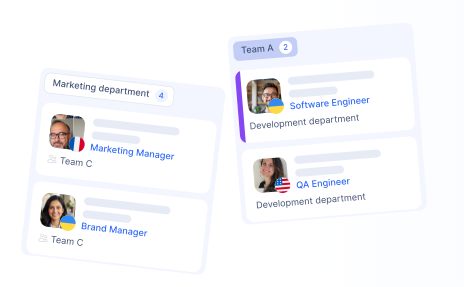
Visual company structure
The whole company as one clear chart, from offices down to individual roles. Open any node to see the people behind it and what they do.

One structure, three ways to see it
The same data in three views. Switch in one click, depending on what you need to see.
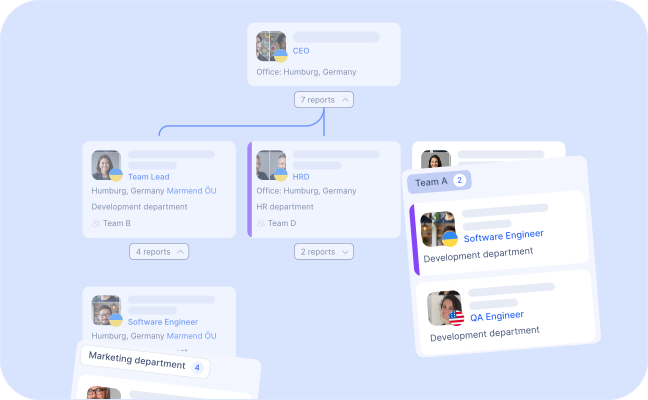
From the chart to the person
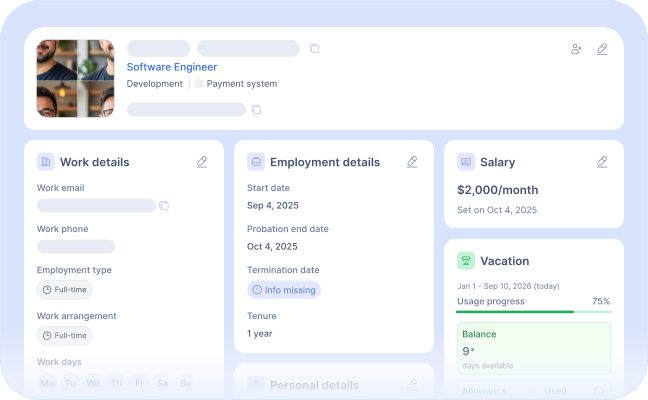
Click any node to open a full employee profile with role, contacts, and documents. No separate directory to maintain.
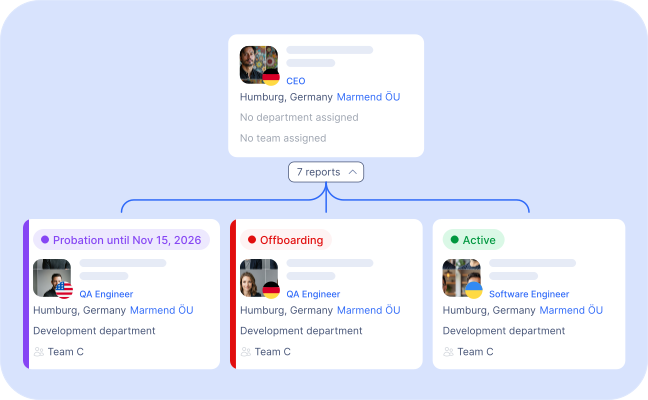
See who is joining and who is leaving
Employees on probation or going through offboarding are marked in their own color, so managers can prepare handovers in time.
- Probation marked by color
- Offboarding visible in advance
- Status end date in the profile
See the bigger picture
See how teams, departments, managers, and employees fit together — all in one place.
Try for freeFrequently Asked Questions
Can I view the org chart in different ways?
Yes. Switch between a by-office-and-department view, a reporting-line view, and a by-team view with one click, using the same underlying data.
Can I open an employee's profile from the chart?
Yes. Click any node in the chart to open the full employee profile, including role, contact details, and documents.
Can I see who is on probation or leaving the company?
Employees on probation or going through offboarding are highlighted in their own color directly on the chart, so managers can see and prepare in advance.
Does the chart update automatically when employee data changes?
The org chart updates automatically as employee profiles, departments, teams, and reporting lines change — there's no separate structure to maintain by hand.
Explore more HR tools
Employee Profiles
Keep employee information, contact details, and work data organized in one place. Give your team a clear view of who’s who and how everyone fits together.
Time Off
Employees request vacation, sick leave, or other absences in a few clicks. HR reviews overlaps, approves requests, and keeps team availability clear.
Performance Reviews
Set clear goals, run structured review cycles, and track employee growth over time — all in one place.
Start hiring smarter
Generate your first AI-assisted vacancy in minutes and see how much faster hiring can be.